A private reporting workspace for findings → evidence → reports
Ducky Pwn Docs is a desktop app for red teamers, bug bounty hunters, and security consultants who want a clean, fast workflow on their own machine. Built with Electron + React/Vite and backed by SQLite. An alternative for Dradis Framework when you want local-first speed and privacy.
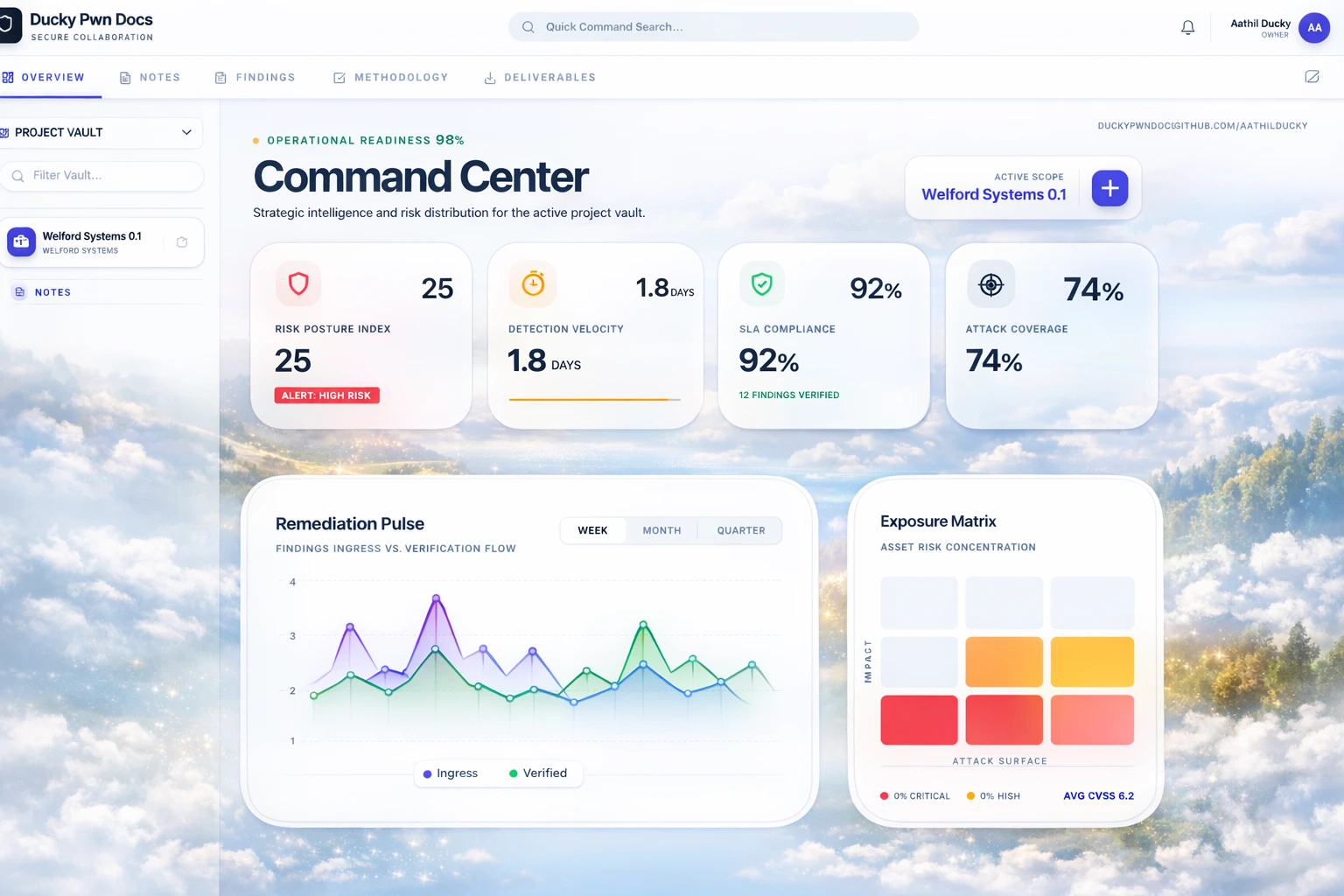
Smooth path from finding creation to polished deliverables — built for speed and focus.
SQLite database stored in your user data directory — no cloud dependency required.
Generate PDF/HTML/DOCX deliverables and email findings via SMTP with attachments.
Product demos
Quick walkthroughs of the reporting flow and evidence capture inside the app.
Key features
Everything you need for a clean reporting workflow — fully offline and local-first.
Organize clients, targets, and findings per project with a clean workspace.
Severity, CVSS, assets, descriptions, and custom fields for structured reporting.
Rich editor for tactical notes, methodologies, and checklists.
Attach images and videos with inline preview for clean evidence trails.
Generate professional PDF / HTML / DOCX reports for clients and audits.
Configure SMTP and send reports with attachments from inside the app.
Track sent reports with timestamps and delivery history per project.
All data stored on your device in a local SQLite vault directory.
No cloud dependency — ideal for sensitive engagements and air-gapped work.
Downloads
Fully open-source. Desktop installers are available now.
View source on GitHubA web download portal with versioned releases + checksums is on the roadmap.
License: MIT • Built for security teams and solo hackers alike.
Run locally (dev)
Start Vite + Electron for development.
npm installnpm run electron:devYou can paste these commands into your terminal inside the project folder.
Build production (desktop)
Build the renderer and package the app.
npm run build
npx electron-buildernpx electron-builderBuild on Windows (recommended):
npx electron-builder --win nsisnpx electron-builder --macData storage
All data is stored locally in SQLite.
${app.getPath('userData')}/ducky-pwn-docs/vault.dbUploaded assets are stored alongside the database in:
${app.getPath('userData')}/ducky-pwn-docs/assetsSMTP / Email
Configure SMTP settings inside the Profile page. Send finding reports with attachments.
Never commit real SMTP credentials. Use .env.example as a template and keep secrets out of git.
- PDF: professional printable report
- HTML: email-friendly layout
- DOCX: editable report for Office/Google Docs
Roadmap
Public website with versioned builds, checksums, and release notes.
Better Linux distribution and smoother install experience.
Simple, secure update channels for stable and beta releases.
Security
Keep secrets out of git. Store everything locally. Ship clean builds.
Remove SMTP credentials from any tracked files before publishing.
SQLite vault and assets remain on your machine — ideal for sensitive engagements.